翻译:从零开始用 Python 构建一个基础 HTTP 服务器
译者语
应我友人泗祈的请求,翻译一篇技术 blog。
该 blog 的作者是 João Ventura,一位来自葡萄牙的软件工程师前辈。他 blog 的原文链接为:https://joaoventura.net/blog/2017/python-webserver/
原作者的授权
Hello,
sure, no problem, hope it provides good value for all chinese speakers!
Regards, João Ventura
Às 13:05 de 05/11/25, wold9168 escreveu:
Dear João Ventura,
Thank you so much for your excellent blog post, Building a basic HTTP Server from scratch in Python . It helped me clearly explain to a friend how to build a web server in Python.
Inspired by your work, I’ve translated the article into Chinese—initially using AI assistance and then carefully polishing the text by hand. I’ d be truly grateful for your permission to share the translation publicly. The translation is now published here: https://wold9168.github.io/tech/translation/2025/11/05/python-webserver.html
I’m writing to kindly ask for your permission to share this translation publicly. Of course, full credit is given to you, and I’ve linked back to your original post at the top of the translation.
Thank you again for your clear writing and for sharing your knowledge with the community!
Best regards, wold9168
以下是中文翻译(AI+人工校对+画蛇添足):
从零开始用 Python 构建一个基础 HTTP 服务器
2017年2月9日
本质上,现代 Web 服务不过是客户端与服务器之间进行文本的来回传输。作为开发者,我们通常要使用 Web 框架来帮助我们构建要发送给客户端的字符串。Web 框架通过解析传入的 HTTP 请求(其实只是一段文本)、调用相应的函数,并构建出一个字符串用作响应(通常使用模板)来将我们从底层“文本现实”中抽象出来。最后,客户端解析这些字符串并执行相应操作。
本博客文章展示了如何从零开始构建一个极简的 HTTP 服务器,这个例子最初是我给硕士生布置的一个练习。唯一的前提是你对 Python 3 有基本了解。如果你想边读边动手实现,可以从这个链接获取初始代码。最终的完整源码可以在 这个 gist 中找到。
HTTP 本质上就是文本
HTTP 是浏览器用来从服务器获取或提交信息的协议。本质上,HTTP 传递的信息只是遵循特定格式的文本:第一行指定你想要访问的资源,接着是若干请求头(headers),然后是一个空行,将头部与消息体(如果有)分隔开。
例如,你可以这样请求一个网站的“关于”页面:
GET /about.html HTTP/1.0
User-Agent: Mozilla/5.0
又或者,你可以用 POST 方法向 Web 服务器发送表单数据:
POST /form.php HTTP/1.0
Content-Type: application/x-www-form-urlencoded
Content-Length: 21

name=John&surname=Doe
为了证明这确实只是文本,你可以直接复制上面的内容,并使用任何能通过网络发送文本的工具。比如,我们可以用 telnet 来获取 Google 的“关于”页面:
$ telnet google.com 80
Trying 84.91.171.170...
Connected to google.com.
Escape character is '^]'.

GET /about/ HTTP/1.0

HTTP/1.0 200 OK
Vary: Accept-Encoding
Content-Type: text/html
Date: Thu, 09 Feb 2017 16:41:37 GMT
Expires: Thu, 09 Feb 2017 16:41:37 GMT
Cache-Control: private, max-age=0
Last-Modified: Thu, 08 Dec 2016 01:00:57 GMT
X-Content-Type-Options: nosniff
Server: sffe
X-XSS-Protection: 1; mode=block
Accept-Ranges: none

<!DOCTYPE html>
<html class="google mmfb" lang="en">
<head>
...
</html>
Connection closed by foreign host.
我们也可以向 http://httpbin.org/post 发送一个 POST 请求:
$ telnet httpbin.org 80
Trying 54.175.219.8...
Connected to httpbin.org.
Escape character is '^]'.

POST /post HTTP/1.0
Content-Type: application/x-www-form-urlencoded
Content-Length: 21

name=John&surname=Doe

HTTP/1.1 200 OK
Server: nginx
Date: Thu, 09 Feb 2017 16:38:26 GMT
Content-Type: application/json
Content-Length: 328
Connection: close
Access-Control-Allow-Origin: *
Access-Control-Allow-Credentials: true

{
  "form": {
    "name": "John",
    "surname": "Doe"
  },
  "headers": {
    "Content-Length": "21",
    "Content-Type": "application/x-www-form-urlencoded",
    "Host": "httpbin.org"
  },
  "url": "http://httpbin.org/post"
}
Connection closed by foreign host.
你可以看到 HTTP 请求 (1) 后紧跟着服务器的 HTTP 响应 (2)。请求和响应都遵循相同的模式,而且全是文本!更多关于 HTTP 的内容,推荐阅读优秀的《高性能浏览器网络》(High Performance Browser Networking)1一书。
使用套接字(sockets)发送 HTTP 响应
如果你打算从零实现网络应用,很可能需要直接操作网络套接字(socket)。套接字是操作系统提供的一种抽象,允许你通过网络发送和接收字节。下面是一个基础 HTTP 服务器的实现(你可以从这个链接获取代码):
"""
 实现一个简单的 HTTP/1.0 服务器
"""
import socket

# 定义主机和端口
SERVER_HOST = '0.0.0.0'
SERVER_PORT = 8000

# 创建套接字
server_socket = socket.socket(socket.AF_INET, socket.SOCK_STREAM)
server_socket.setsockopt(socket.SOL_SOCKET, socket.SO_REUSEADDR, 1)
server_socket.bind((SERVER_HOST, SERVER_PORT))
server_socket.listen(1)
print('正在监听端口 %s ...' % SERVER_PORT)

while True:
    # 等待客户端连接
    client_connection, client_address = server_socket.accept()

    # 获取客户端请求
    request = client_connection.recv(1024).decode()
    print(request)

    # 发送 HTTP 响应
    response = 'HTTP/1.0 200 OK\n\nHello World'
    client_connection.sendall(response.encode())
    client_connection.close()

# 关闭套接字
server_socket.close()
我们首先定义服务器监听的主机和端口。然后创建一个 server_socket,指定使用 IPv4 地址族(AF_INET)和 TCP 协议(SOCK_STREAM)。其余代码用于配置套接字,使其在指定的(主机, 端口)上监听请求。更多细节可查阅 Python 官方文档中的套接字部分。
其余代码逻辑很清晰:等待客户端连接,读取请求字符串,发送一个包含 “Hello World” 的 HTTP 格式响应体,然后关闭客户端连接。这个循环会一直运行(直到有人按下 Ctrl+C)。在浏览器中打开 http://localhost:8000/,你应该能看到服务器的响应:
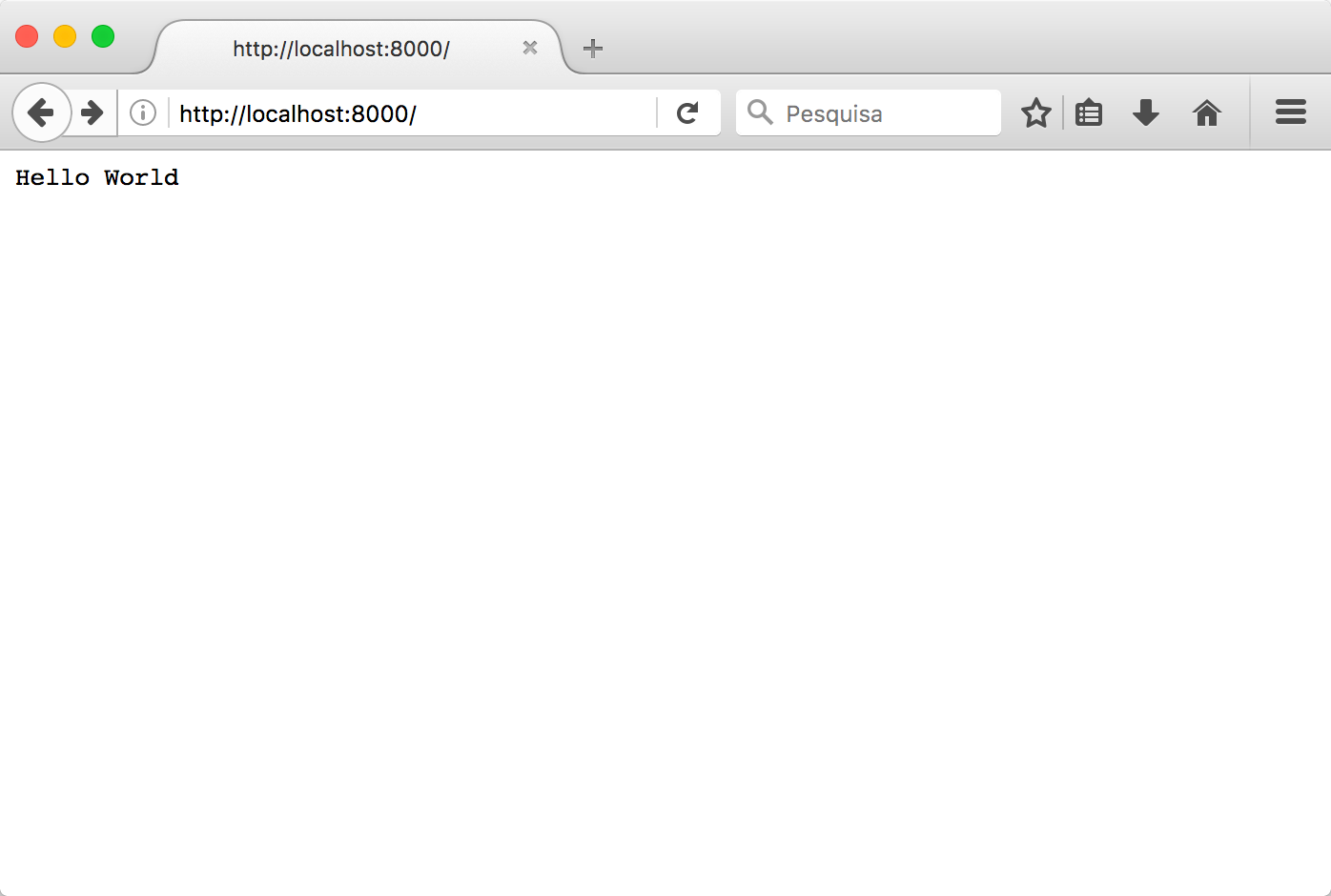
作为练习,你可以把 “Hello World” 改成 <h1>Hello World</h1>,看看会发生什么。你注意到了服务器代码中的 print(request) 吗?它在控制台输出的内容如下:
Listening on port 8000 ...
GET / HTTP/1.1
Host: localhost:8080
User-Agent: Mozilla/5.0 (Macintosh; Intel Mac OS X 10.12; rv:51.0) Gecko/20100101 Firefox/51.0
Accept: text/html,application/xhtml+xml,application/xml;q=0.9,*/*;q=0.8
Accept-Language: pt-PT,pt;q=0.8,en;q=0.5,en-US;q=0.3
Accept-Encoding: gzip, deflate
Connection: keep-alive
Upgrade-Insecure-Requests: 1
Cache-Control: max-age=0
没错,这就是浏览器向服务器请求根路径(”/”)时发送的内容。
返回 index.html
通常,当浏览器请求服务器根路径(例如使用 GET / HTTP/1.0)时,我们应该返回 index.html 页面。现在我们修改 while 循环中的代码,让它始终返回 htdocs/index.html 文件的内容:
while True:
    # 等待客户端连接
    (...)

    # 获取客户端请求
    (...)

    # 读取 htdocs/index.html 的内容
    fin = open('htdocs/index.html')
    content = fin.read()
    fin.close()

    # 发送 HTTP 响应
    response = 'HTTP/1.0 200 OK\n\n' + content
    client_connection.sendall(response.encode())
    (...)
基本上,我们读取文件内容,并将其作为响应体附加到响应字符串中,取代之前的 “Hello World”。index.html 文件只是一个位于 htdocs 目录下的普通文本文件,内容如下:
<html>
  <head>
    <title>Hello World</title>
  </head>
  <body>
    <h1>Hello World!</h1>
    <p>Welcome to the index.html web page.</p>
    <p>Here's a link to <a href="ipsum.html">Ipsum</a></p>
  </body>
</html>
在浏览器中看起来应该是这样的:
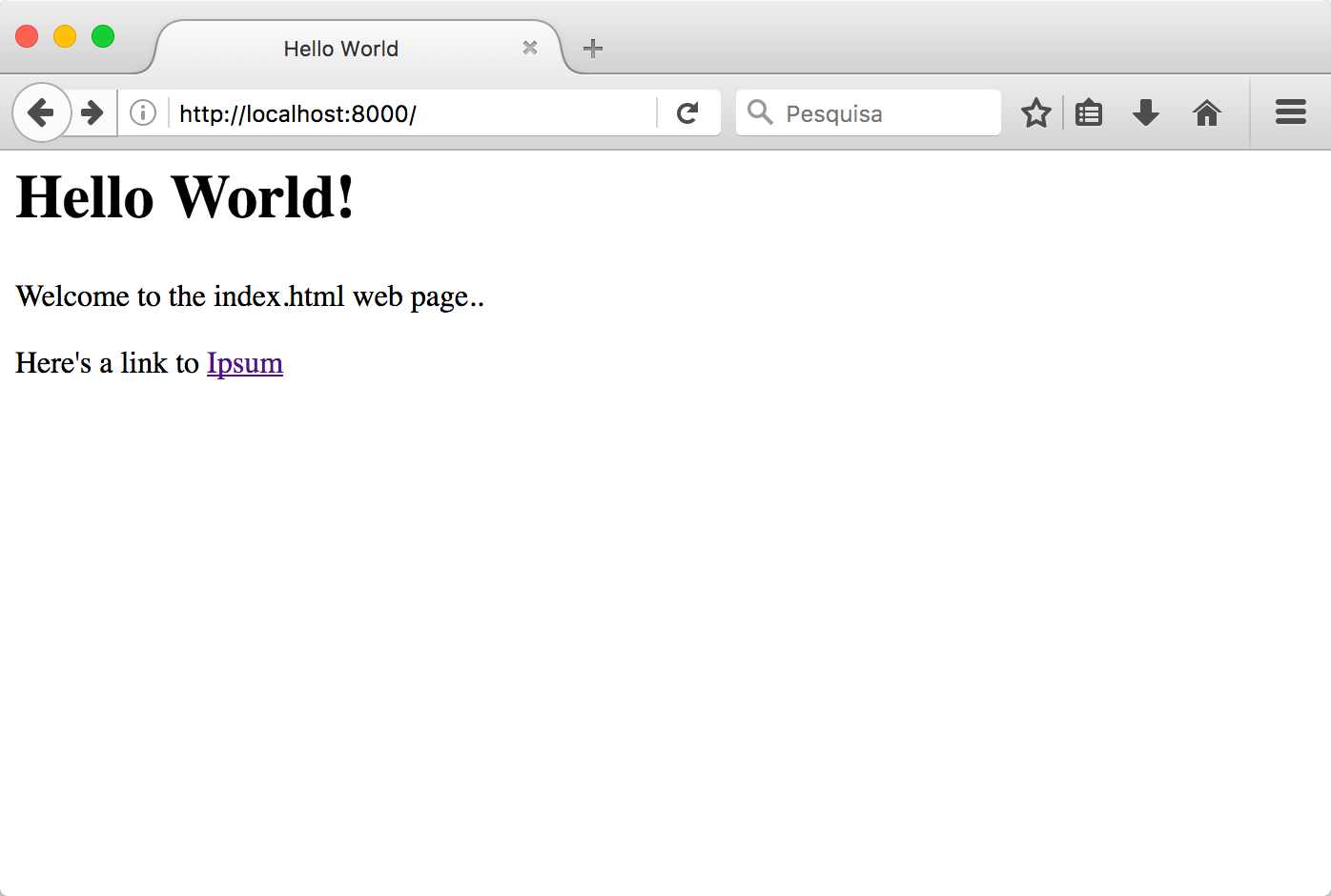
你可以随意点击链接,但你会发现服务器始终返回 index.html 的内容——因为我们就是这么写的!
支持返回其他页面
到目前为止,我们的服务器只能返回 index.html,但我们应该让它也能返回其他页面。从技术上讲,这意味着我们必须解析 HTTP 请求的第一行(例如 GET /ipsum.html HTTP/1.0),打开对应的文件并返回其内容。以下是修改后的代码:
while True:
    # 等待客户端连接
    (...)

    # 获取客户端请求
    (...)

    # 解析 HTTP 头部
    headers = request.split('\n')
    filename = headers[0].split()[1]

    # 获取文件内容
    if filename == '/':
        filename = '/index.html'

    fin = open('htdocs' + filename)
    content = fin.read()
    fin.close()

    # 发送 HTTP 响应
    response = 'HTTP/1.0 200 OK\n\n' + content
    client_connection.sendall(response.encode())
    (...)
基本上,我们从请求字符串中提取文件名,打开文件(假设所有 HTML 文件都在 htdocs 文件夹中),然后返回其内容。你也可以看到,当客户端请求根资源('/')时,我们正确地返回了 index.html。
htdocs/ipsum.html 的内容如下:
<html>
  <head>
    <title>Ipsum</title>
  </head>
  <body>
    <h1>Ipsum!</h1>
    <p>
      Lorem ipsum dolor sit amet, consectetur adipiscing elit. Pellentesque
      tincidunt libero diam, nec imperdiet libero sodales quis. Nulla in
      pulvinar sem. Vivamus placerat ullamcorper sagittis. Proin varius, erat
      sed egestas semper, enim lectus viverra diam, id placerat est augue et
      turpis.
    </p>
  </body>
</html>
你可以自己试试,看看能否成功打开 index.html 和 ipsum.html。
404 - 未找到
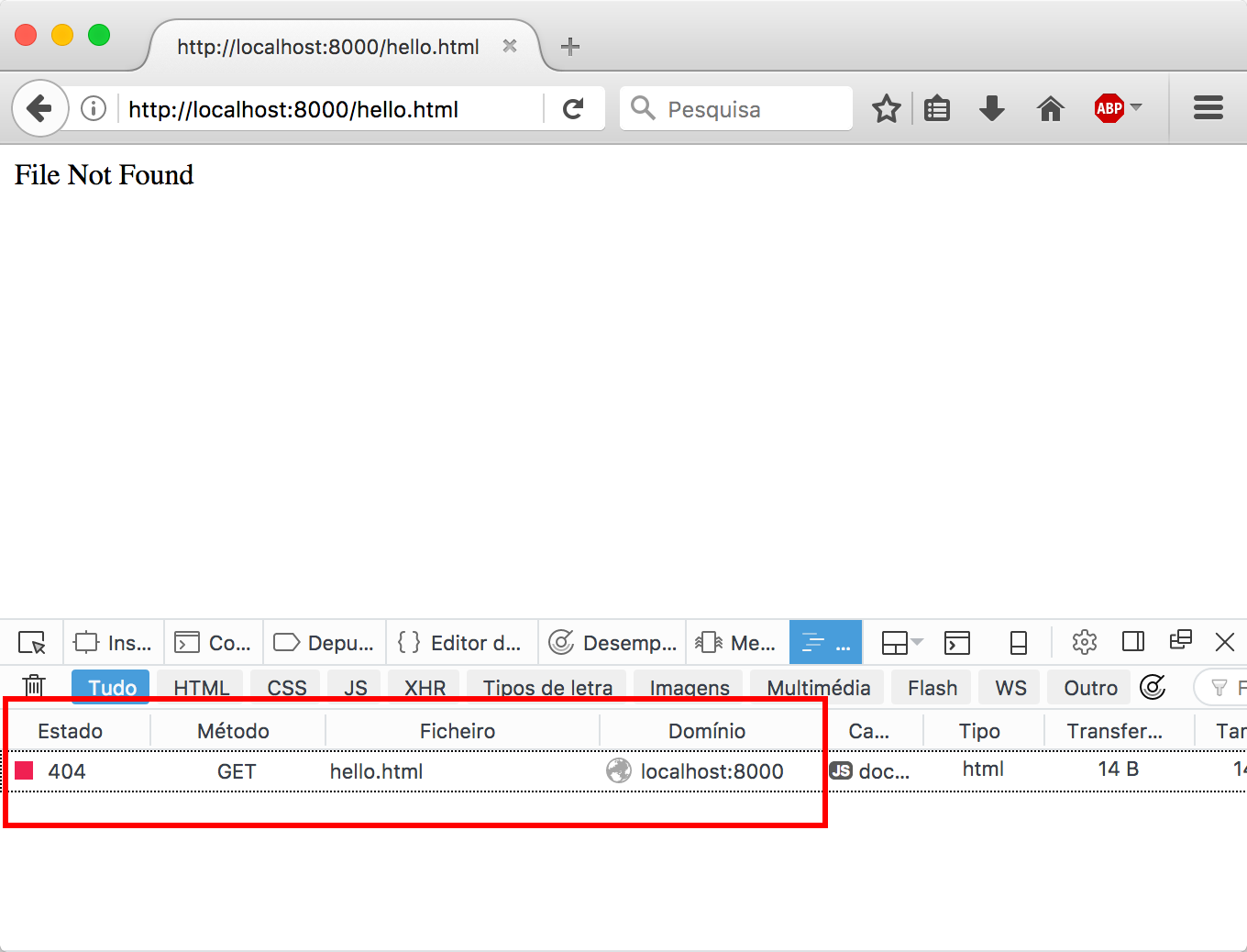
还没完呢!如果你尝试请求一个不存在的文件,比如 http://localhost:8000/hello.html,会发生什么?
GET /hello.html HTTP/1.1
Traceback (most recent call last):
  File "httpserver.py", line 36, in <module>
    fin = open('htdocs' + filename)
FileNotFoundError: [Errno 2] No such file or directory: 'htdocs/hello.html'
服务器会崩溃并退出!
我们需要捕获异常并返回一个 404 响应:
while True:
    # 等待客户端连接
    (...)

    # 获取客户端请求
    (...)

    # 解析 HTTP 头部
    headers = request.split('\n')
    filename = headers[0].split()[1]

    # 获取文件内容
    if filename == '/':
        filename = '/index.html'

    try:
        fin = open('htdocs' + filename)
        content = fin.read()
        fin.close()
        response = 'HTTP/1.0 200 OK\n\n' + content
    except FileNotFoundError:
        response = 'HTTP/1.0 404 NOT FOUND\n\nFile Not Found'

    # 发送 HTTP 响应
    client_connection.sendall(response.encode())
    client_connection.close()
如果你愿意,也可以自定义 404 响应体中的错误信息。
本示例的完整源代码可以在 这个 gist 中找到。
如需进一步扩展(如支持静态文件类型、并发处理、HTTP/1.1 等),可在此基础上继续开发。
-
译注:https://hpbn.co/ 。其实阅读 Mozilla Develop Network(MDN)的文档已经相当有效。 ↩